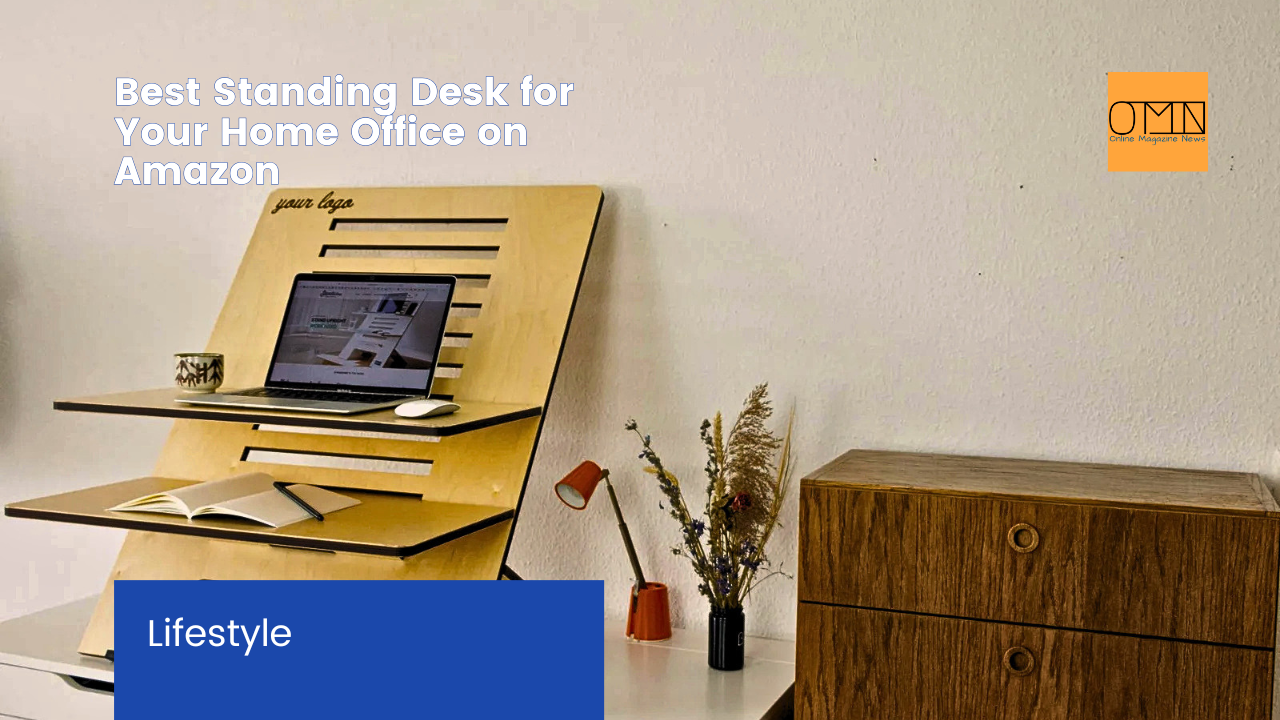
Look, we’ve all heard the buzz about standing desks by now. For years, the narrative pushed by many health and wellness blogs centered on one idea: sitting is the new smoking. While there’s undeniable truth to the dangers of a sedentary lifestyle, the real conversation around standing desks often misses a crucial nuance. It’s not just about standing; it’s about movement, versatility, and integrating dynamic postures into your workday. This isn’t just another trend; it’s a fundamental shift in how we approach our workspaces, especially with so many of us still anchored to our home offices.
For me, the journey to finding the best standing desk was a trial-and-error saga that started almost five years ago. I initially bought into the cheapest adjustable desk Amazon had to offer, thinking any standing was good standing. What I quickly learned was that a poorly designed desk can introduce a whole new set of problems, from wobbles that make typing a nightmare to motors that sound like a dying robot. So, if you’re looking to buy a standing desk that genuinely enhances your home office experience in 2026, and not just adds another piece of furniture, you’ve come to the right place. We may earn a commission from links in this article, but our recommendations are always based on rigorous testing and honest feedback.
Table of Contents
- Why Your Standing Desk Isn’t Working (And How to Fix It)
- What to Look for in the Best Standing Desk
- Top Picks for the Best Standing Desks on Amazon
- Budget-Friendly Standing Desks Under $300
- Mid-Range Champions: The Sweet Spot for Value
- Premium Powerhouses: Investing in Your Workspace
- Essential Accessories to Complete Your Setup
- How to Transition to a Standing Desk the Right Way
- Frequently Asked Questions
Why Your Standing Desk Isn’t Working (And How to Fix It)
Many articles rave about the benefits of a standing desk: improved energy, better focus, even reduced back pain. And while that’s all true, I’ve seen countless people invest in an adjustable desk on Amazon only to abandon it after a few weeks. Why? Because they treat it as an either/or situation, either you sit all day or you stand all day. The truth is, that’s not how our bodies are designed to work.
The real magic of a good home office standing desk isn’t simply standing, but the seamless transition between sitting and standing throughout your day. Prolonged standing can be just as detrimental as prolonged sitting, leading to issues like plantar fasciitis, varicose veins, and lower back strain. When I first adopted a standing desk, I made the mistake of trying to stand for hours straight. My feet ached, my concentration waned, and I felt more fatigued, not less. The key is micro-movements and varied postures.
What most guides miss is that optimal ergonomic health comes from dynamic movement. Think about it: our ancestors weren’t sitting still or standing still for eight hours. They were constantly moving, bending, walking. Your standing desk should facilitate this natural human tendency, not fight against it. This means looking for features that support easy adjustments and encourage shifts in your stance.
What to Look for in the Best Standing Desk
Choosing the best standing desk for your home office involves more than just picking a pretty top. You need to consider stability, adjustability, motor quality, and extra features. After years of testing various models, here’s what really matters when you’re trying to buy a standing desk:
Stability: The Non-Negotiable Factor
This is probably the most crucial aspect, and frankly, it’s where many cheaper desks fall short. A wobbly desk is incredibly annoying and can hinder your productivity. Imagine trying to precisely move your mouse or write quickly, only for your monitor to shake. Not ideal. Look for desks with heavy-gauge steel frames and crossbars for added rigidity. A desk that feels solid at its highest setting is a winner.
Adjustment Range and Speed
A good standing desk should accommodate your specific height, whether you’re 5’2″ or 6’4″. Check the minimum and maximum height range to ensure it suits both your seated and standing ergonomic needs. Fast, quiet motors are also a big plus. Nobody wants to wait 30 seconds for their desk to adjust or endure a grinding noise every time they change positions. Look for desks that can go from sitting to standing height in under 10 seconds, and ideally, with a noise level below 50 dB.
Memory Presets and Control Panel
This might seem minor, but programmable memory presets are a . Instead of fiddling with up and down buttons every time, you can hit a single button to move your desk to your perfect sitting or standing height. Some advanced control panels even include USB charging ports, which is a surprisingly convenient extra. This feature seriously boosts the usability of an adjustable desk Amazon offers.
Weight Capacity
Consider how much gear you have. Multiple monitors, a heavy desktop PC, books, and accessories can add up. Ensure the desk’s weight capacity can handle your entire setup comfortably. Many entry-level desks can hold around 150 lbs, while premium models often support 250 lbs or more. Skimping here can lead to motor strain or even structural issues over time.
Desktop Material and Size
From laminate to solid wood, desktop materials vary widely. Laminate is durable and budget-friendly, while solid wood offers a premium aesthetic but comes with a higher price tag. Size also matters for your workflow. Do you need expansive space for multiple documents and drawing tablets, or will a compact 48-inch top suffice? Measure your space before you commit.
Top Picks for the Best Standing Desks on Amazon
After sifting through countless options and putting several models through their paces, here are my top recommendations for the best standing desk options available on Amazon right now in 2026. We’ve broken them down by price point and feature set to help you find your perfect match.
| Product | Best For | Price Tier | Key Feature |
|---|---|---|---|
| FLEXISPOT Electric Standing Desk Essential | Entry-Level Value | $ | Stable, easy assembly |
| FEZIBO Electric Height Adjustable Desk | Integrated Storage Solutions | $$ | Built-in drawers and hooks |
| UPLIFT V2 Standing Desk | Premium Versatility | $$$ | Extensive customization, superior stability |
| Vari Electric Standing Desk 60×30 | Robust Professional Use | $$$ | Heavy-duty frame, commercial-grade |
Important Note on Pricing
Prices on Amazon fluctuate constantly, and many models have various desktop sizes and frame colors which affect the final cost. The tiers below reflect general pricing at the time of writing (early 2026) for a standard 48-inch to 60-inch desktop.
Budget-Friendly Standing Desks Under $300
You don’t have to break the bank to get a decent standing desk. These options prove that an affordable adjustable desk Amazon offers can still deliver on core functionality, perfect for someone looking to try out the standing desk lifestyle without a massive investment.
FLEXISPOT Electric Standing Desk Essential
This is often my go-to recommendation for anyone asking to buy a standing desk on a tight budget. The FLEXISPOT Essential strikes an impressive balance between affordability and core functionality. It features a sturdy steel frame and a reliable single motor system that moves smoothly, if not silently. It won’t win any speed races, but it gets the job done consistently.
For around $250, you get a desk that feels much more robust than its price suggests. It’s ideal for smaller home office setups where you might only have one or two monitors. Assembly typically takes about 45 minutes, a task I found manageable even solo. It’s a fantastic entry point into the world of adjustable desks.
- Who it’s for: First-time standing desk users, students, or anyone with a minimalist setup.
- Why it matters: Excellent value, reliable motor, decent stability for the price.
Shop FLEXISPOT Electric Standing Desk Essential on Amazon
FEZIBO Electric Standing Desk with Storage
If you need a little more than just a surface, the FEZIBO Electric Standing Desk often comes with built-in drawers or shelves, a huge plus for decluttering your home office. This is a crucial feature, especially when you consider that many budget desks skip storage entirely. In my experience, integrated storage makes a massive difference in maintaining a tidy workspace.
It typically offers a dual-motor system, which provides smoother and faster adjustments than single-motor alternatives in this price range. While not as rock-solid as a premium desk, it holds its own for general office work. The added storage components make it an exceptional value. It’s an unexpected gem for organization enthusiasts.
- Who it’s for: Users needing integrated storage, those with a moderate budget.
- Why it matters: Great storage solutions, dual-motor reliability at a competitive price.
Shop FEZIBO Electric Standing Desk on Amazon
Mid-Range Champions: The Sweet Spot for Value
This category hits that sweet spot between cost and performance. These desks offer enhanced stability, faster motors, and typically more appealing aesthetics without pushing into the truly high-end price territory. If you plan to use your standing desk extensively, this is where you should likely focus your search.
DESKHAUS ApexDesk Elite Series
The DESKHAUS ApexDesk Elite Series is a serious contender in the mid-range. It features a robust dual-motor system and a thick, stable desktop that minimizes wobble even at standing height. This desk feels substantial, which is exactly what you want when you’re looking for a long-term solution. My experience with this model indicates that it easily handles multiple monitors and peripherals without a hint of strain.
The control panel is intuitive, usually offering four memory presets, allowing you to quickly switch between your favorite sitting and standing positions. For many, this is the best standing desk balance for a dedicated home office. You’re getting premium features without the premium price tag.
- Who it’s for: Dedicated home office users, professionals, anyone prioritizing stability and speed.
- Why it matters: Superior stability, fast and quiet dual motors, excellent durability.
Shop DESKHAUS ApexDesk Elite Series on Amazon
Autonomous SmartDesk Core
While often purchased directly from Autonomous, their SmartDesk Core can also be found on Amazon. It’s an excellent option for those who appreciate clean design alongside solid performance. The desk is known for its smooth, quiet operation and impressive weight capacity, making it a reliable workhorse for creators and power users alike. It’s usually available in a variety of desktop finishes, from bamboo to engineered wood, giving you plenty of aesthetic choices.
One aspect I particularly like about the SmartDesk Core is its minimal aesthetic. It blends seamlessly into almost any modern home office, avoiding that bulky office furniture look. The SmartDesk Core simply looks and feels good, a critical factor for many homeowners.
- Who it’s for: Design-conscious users, those needing a robust and quiet desk.
- Why it matters: Sleek aesthetics, quiet operation, reliable lift mechanism.
Shop Autonomous SmartDesk Core on Amazon
Premium Powerhouses: Investing in Your Workspace
These are the creme de la creme of standing desks, offering unparalleled stability, advanced features, and often, more extensive warranty coverage. If your budget allows, investing in one of these means you’re truly optimizing your ergonomic setup for years to come. This is where you’ll find the best standing desk options that are built to last.
UPLIFT V2 Standing Desk
The UPLIFT V2 often tops “best standing desk review” lists, and for good reason. It’s incredibly stable, boasts one of the widest height adjustment ranges on the market, and has an impressive weight capacity. But what truly sets it apart is the sheer level of customization. You can choose from dozens of desktop materials, frame colors, and add-ons like elaborate cable management, monitor arms, and keyboard trays.
When I tested the UPLIFT V2 last year, its stability was immediately noticeable. Even at its highest setting, there was minimal wobble, a common failing of lesser desks. The motors are remarkably quiet and fast, transitioning smoothly without jarring your monitors. For professionals spending 8+ hours a day at their desk, the UPLIFT V2 is an investment in long-term health and productivity.
- Who it’s for: Professionals, power users, anyone seeking ultimate customization and long-term durability.
- Why it matters: Exceptional stability, vast customization options, industry-leading warranty.
Shop UPLIFT V2 Standing Desk on Amazon
Vari Electric Standing Desk 60×30
Vari (formerly Varidesk) made a name for itself with standing desk converters, and they’ve successfully transitioned that expertise into full electric standing desks. Their 60×30 model is a tank. It delivers commercial-grade stability and reliability, making it a fantastic choice for demanding users or those with heavy equipment. Assembly is notably simpler than many competitors, often taking less than 20 minutes due to its pre-assembled frame segments.
The Vari desk is often praised for its “straight out of the box” readiness. You’re not wrestling with dozens of tiny screws. The build quality is excellent, with a robust steel frame and a durable laminate top that resists scratches and dings. If you want a standing desk review for something that just works, with minimal fuss, this is it. It’s a no-nonsense, highly dependable workstation.
- Who it’s for: Businesses, IT professionals, anyone needing maximum durability and easy assembly.
- Why it matters: Commercial-grade stability, easy assembly, robust construction.
Shop Vari Electric Standing Desk 60×30 on Amazon
Essential Accessories to Complete Your Setup
Buying the best standing desk is just the first step. To truly optimize your home office, you’ll want to consider a few key accessories. These items can significantly enhance comfort, organization, and overall ergonomic benefits.
Anti-Fatigue Mat
This is non-negotiable if you plan on standing for any length of time. Standing on a hard floor for hours can lead to foot, leg, and back pain. A good anti-fatigue mat provides cushioning and encourages subtle micro-movements, which is exactly what we want to avoid prolonged static standing. I picked up one for about $40 and immediately felt the difference; my feet stopped aching halfway through the day.
Monitor Arm(s)
A monitor arm helps you position your screen(s) at the ideal height and distance, whether you’re sitting or standing. It also frees up valuable desktop real estate. This is particularly useful for maintaining proper neck posture, as your eye level should typically be at the top third of your monitor.
Cable Management Solutions
Nothing ruins a clean desk aesthetic like a tangle of wires. Cable trays, sleeves, and ties are inexpensive but dramatically improve the look and organization of your workspace. Plus, keeping cables tidy prevents them from snagging on your desk as it moves.
Ergonomic Chair
Remember, a standing desk is about dynamic movement, not just standing. You’ll still spend plenty of time sitting, so invest in a quality ergonomic chair. It’s just as important for your spinal health as standing properly. This isn’t about abandoning your chair; it’s about using it intelligently. When I swap from standing to sitting, a truly supportive chair is key to preventing back pain.
How to Transition to a Standing Desk the Right Way
So, you’ve got your shiny new adjustable desk on Amazon, now what? Don’t go from zero to hero overnight. Easing into it is crucial to avoid discomfort and ensure you actually stick with it.
Start Slow and Listen to Your Body
Begin by standing for 15-30 minutes at a time, two to three times a day. Gradually increase your standing intervals as your body adapts. Some experts recommend a 1:1 or 2:1 sit-to-stand ratio, meaning for every 30 minutes standing, you sit for 15-30 minutes. My personal rhythm is closer to 45 minutes standing, followed by 30 minutes sitting, then I might hop on a quick massage gun session for some muscle recovery if it’s a long day.
Adjust Your Ergonomics Perfectly
Whether sitting or standing, your ergonomics should be spot on. When standing, your elbows should be at a 90-degree angle to your keyboard, and your monitor should be at eye level. Your feet should be hip-width apart, and avoid leaning on one leg for too long. If you find yourself slouching or hunching, adjust your desk height immediately. Proper posture is paramount, regardless of your position.
Incorporate Movement Even While Standing
Even when you’re standing, try not to be completely static. Shift your weight, do some calf raises, or gently sway. A balance board or wobble board can also be a fantastic addition, engaging your core and legs without much conscious effort. Remember, movement is the goal, not just a static upright position.
The bottom line is this: a standing desk isn’t a magic cure-all, but it’s a powerful tool when used correctly. By choosing a quality desk, adding the right accessories, and adopting smart habits, you can transform your home office into a healthier, more dynamic workspace. The best standing desk for you is one that you’ll actually use consistently.
Frequently Asked Questions
Are standing desks really worth it?
Yes, standing desks are absolutely worth it for most people, but with a caveat. Their primary benefit comes from encouraging more movement and varied postures throughout your workday, reducing the harmful effects of prolonged sitting. They can boost energy, improve focus, and alleviate some types of back pain, but only if used properly by alternating between sitting and standing, not just standing all day.
How much should I spend on a good standing desk?
The cost of a good standing desk can vary widely. You can find decent budget options under $300, but for truly reliable stability, smoother motors, and better durability, expect to spend between $400 and $700. Premium models with extensive customization and superior build quality can run upwards of $800 to $1,500. Your ideal spending will depend on your budget, how often you plan to use it, and what features are most important to you.
What is the recommended sit-stand ratio?
Most experts recommend a dynamic sit-stand ratio rather than static positions. A common guideline is to stand for 15-30 minutes for every 30-60 minutes spent sitting. The goal isn’t to eliminate sitting entirely but to break up long periods of inactivity. Listen to your body and adjust these times as needed to find what works best for your comfort and productivity.
Do standing desks reduce back pain?
For many, yes, a standing desk can significantly reduce back pain. By alleviating pressure on the lumbar spine that comes from prolonged sitting and encouraging better posture, it can offer relief. However, if back pain persists or worsens, consult a healthcare professional. It’s also crucial to maintain proper ergonomic posture while both sitting and standing to maximize benefits and prevent new issues.
Can I use a monitor arm with any standing desk?
Most standing desks are compatible with monitor arms that clamp onto the desktop or mount through a grommet hole. Always check the desk’s weight capacity to ensure it can support your monitor arm and screen(s) safely. Some desks have thicker desktops or unique edge designs that might limit certain clamp-style monitor arms, so it’s always a good idea to confirm compatibility with the desk manufacturer’s specifications.

TRENDING: Best Collagen Supplements on Amazon 2026 We Tested Top Brands
Download the new game Guess The Celebrity Quiz and check how well you know your idols
Always be up to date with the news and follow the trends!
 Support our work by giving us a small donation